
Overview & Getting Started
Learn how Midjourney to Notion saves individual creations and batch exports prompts, images, videos, source links, and metadata into a Notion database.
Midjourney to Notion turns individual creations or an available Midjourney history into structured Notion database pages. Use it as a visual prompt library, an experiment log, or a shared creative catalog.
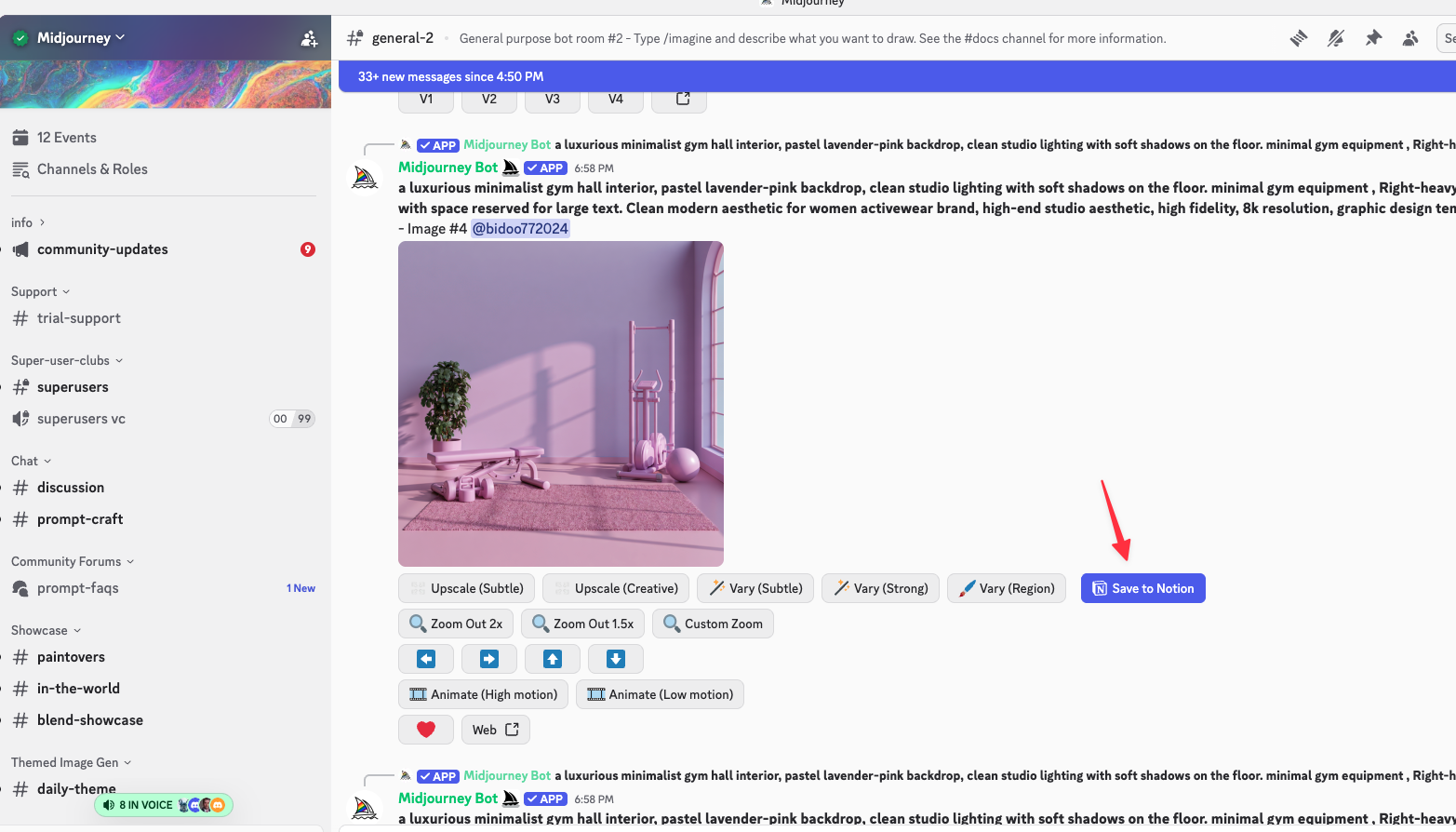
Two export workflows
| Workflow | Use it for |
|---|---|
| Save to Notion | Save one supported Midjourney Web creation or Midjourney Discord message |
| Batch export · Latest | Process the latest available Midjourney page |
| Batch export · All | Follow available pagination for a larger history backup |
Content stored in Notion
An exported creation can include:
- Prompt text and parsed Midjourney parameters
- Model or version information
- Midjourney Job or Discord source link
- Original image URL and saved image
- Creation metadata
- Video URL and available preview information
The exporter first attempts Notion’s native file-upload flow for images. If that path fails, it can use an external R2-hosted fallback so the page can still be created.
Database behavior
The extension checks the selected database and prepares missing fields used by the export. Before a batch, choose how existing creations should be handled:
- Skip if exists leaves the existing page unchanged.
- Overwrite if exists archives the existing page and writes a replacement.
- Always insert creates a new page even when a matching creation exists.
The separate Skip synced success data setting filters IDs already stored in the extension’s local success history.
Recommended setup
- Install the extension.
- Connect Notion and select a database.
- Save one representative creation and inspect the result.
- Run a latest-page batch.
- Use all-data batch export after confirming the database structure.
The current free batch allowance is 10 creations. The shared MidjourneyExporter plans remove that batch limit.
Need more help? Contact Support