
How to Export ChatGPT Deep Research to Notion
ChatGPT Deep Research reports are valuable because they compress a large research process into a single structured answer. The problem is that long reports are hard to reuse if they stay only inside ChatGPT.
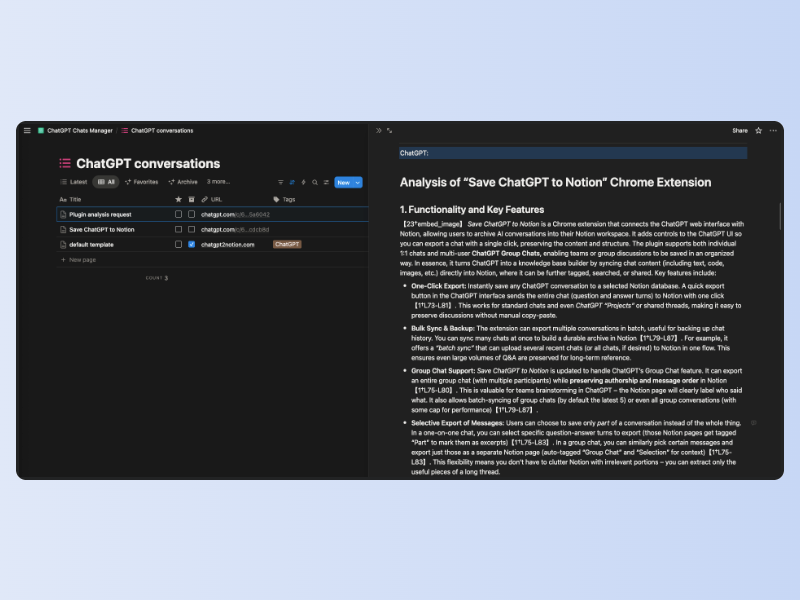
ChatGPT to Notion helps you preserve Deep Research output in Notion, where it can become part of a research database, client workspace, or second brain.
What to Save
For Deep Research workflows, save:
- The final report
- Important source sections
- Follow-up questions
- Tables and structured summaries
- Related TextDocs
- The original ChatGPT URL
Export Workflow
- Open the Deep Research conversation or report.
- Wait until the report content is fully loaded.
- Click the ChatGPT to Notion extension.
- Select the target Notion database.
- Export the report.
- Add project tags or review status inside Notion.
If you run many reports, combine this with batch sync so each report is archived consistently.
Recommended Notion Structure
Create a research database with these properties:
| Property | Type | Example |
|---|---|---|
| Title | Title | Market research on AI note tools |
| Topic | Multi-select | AI tools, Notion, SEO |
| Source | URL | Original ChatGPT link |
| Research Type | Select | Deep Research |
| Status | Select | To review, summarized, used |
| Client or Project | Relation | Product launch, content plan |
Why Not Just Copy and Paste?
Manual copy-paste often loses structure, especially in long reports with headings, lists, tables, and source references. A dedicated export workflow reduces cleanup and makes the archive repeatable.
Turn Reports Into Reusable Knowledge
After export, add your own summary at the top of the Notion page:
- What decision does this support?
- What claims need verification?
- What should be turned into tasks?
- Which sources are strongest?
This turns a generated report into a working research asset.
FAQ
Does formatting stay intact?
The extension is built to preserve structured content such as headings, lists, tables, and long-form report sections.
Can I export TextDocs?
Yes. ChatGPT to Notion supports TextDocs and can organize lengthy content as Notion sub-pages when appropriate.
What is the best next step?
Start with the ChatGPT to Notion overview or read the one-click export guide.