
Perplexity to Obsidian
Export Perplexity to Obsidian as clean Markdown. Bulk download chats, Computer Tasks, and Spaces with sources, images, attachments, and organized local backups.
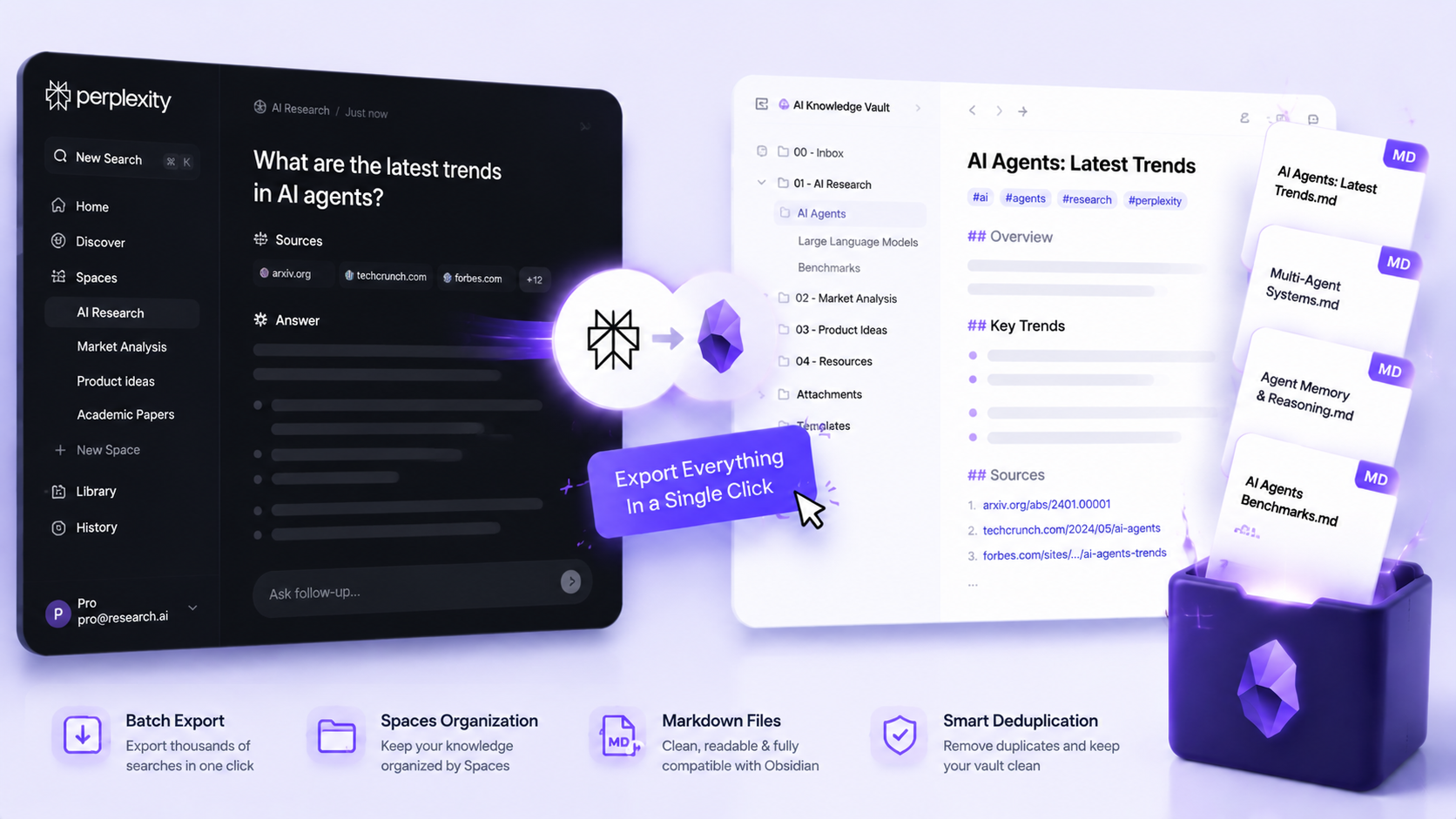
Export Perplexity conversations to searchable Obsidian Markdown and keep your entire AI research history under your control.
Bulk export compatibility
Bulk export Perplexity chats, Spaces, and Tasks to Obsidian
Download individual conversations or create a complete Perplexity Markdown backup with sources, attachments, generated images, selective export, and Space-based organization.
| Content type | Support | Export result | Notes |
|---|---|---|---|
| Bulk and batch export | Core feature | Selected records or complete Perplexity history exported as local Markdown files | Use All Threads, Computer Tasks, or one or multiple Spaces with date filtering, incremental skip logic, progress, cancellation, and export history. |
| Standard /search/ conversations | Full | Markdown with optional YAML, Sources, Related Questions, uploaded files, and generated images | Supported by current-thread, opened-tabs, Custom Preview, inline selective, and bulk workflows, with workflow-specific limits. |
| Perplexity Computer Tasks | Full | Task content exported as Markdown | Supported from the popup and the Computer Tasks source on the Batch Export page. Inline selective checkboxes are limited to /search/ pages. |
| Perplexity Spaces | Full | One or multiple Spaces can be exported and optionally organized into Space subdirectories | Selecting all Spaces uses the all-Spaces bulk workflow. |
| Sources and Related Questions | Configurable | Both sections are included or hidden together | The current v3.1 interface exposes one combined toggle rather than separate controls. |
| Uploaded files and generated images | Workflow dependent | Standard current-thread, opened-tabs, and bulk exports can save companion files under attachments/ and images/ | Custom Preview and inline selective export create Markdown but do not run the companion-file downloader. |
| Embedded Perplexity documents | Embedded | Document content appears under Attached Documents in the Markdown note | It is not necessarily downloaded as a separate source file. |
Output proof
Real export examples
Use these examples to verify what exported files, folders, or destination pages look like before installing.
Bulk Export Perplexity History
Back up All Threads, Computer Tasks, or one or multiple Spaces from a single Batch Export workspace.
Select and Preview Perplexity Answers
Review rendered Markdown and keep only the prompts and responses you want in your final Obsidian note.
Obsidian Markdown Output
A real Perplexity conversation opened in Obsidian with YAML metadata, readable message sections, Sources, and Related Questions.
Key Features of Perplexity to Obsidian
Export individual threads, opened tabs, selected messages, Computer Tasks, and Space-organized backups as local Markdown.
Search your Perplexity research in Obsidian
Keep valuable answers outside a scrolling chat history so you can search, tag, link, and reuse them in your knowledge base.
Back up hundreds of research conversations
Use Bulk Export for complete history or smaller selected batches, with progress, cancellation, and export history.
Keep every project organized by Space
Export one or multiple Perplexity Spaces and automatically group their Markdown notes into matching folders.
Create focused notes from long conversations
Copy or export selected Q&A pairs, or use Custom Export Preview to keep only the prompts and responses that matter.
Preserve sources and answer formatting
Retain Sources, Related Questions, tables, code blocks, headings, lists, links, and other useful Markdown structure.
Download research files and generated images
Standard exports can save supported uploads and generated images beside the Markdown, helping you keep the full research context.
Run faster incremental backups
Filter by recent activity and skip unchanged conversations so recurring Perplexity backups take less time.
Use Markdown beyond Obsidian
Your exported notes remain portable and can also be opened in Logseq, VS Code, Notion imports, and other Markdown tools.
Known limits
Export boundaries and fixes
Clear limits build trust. These are the cases to check before running large exports.
Choose the complete export flow for research assets
Custom Preview and inline selection are designed for focused Markdown notes.
Use current-thread, opened-tabs, or Batch Export when uploaded files and generated images should be downloaded too.
Large Perplexity backups may need smaller runs
Perplexity can temporarily slow or limit a large export.
Keep the recommended delay, export smaller groups, and continue later if Perplexity asks you to wait.
Free usage allowance
The free plan includes a starter allowance so you can test individual and batch export workflows before upgrading.
Activate a subscription when you need unrestricted batch exports for larger backups.
What Users Say About Perplexity to Obsidian
Real workflows, backed up to Obsidian.
"Batch export keeps my Perplexity research backed up and organized. Space folders make it easy to keep each project separate in Obsidian."
"Selective export is ideal for long research threads. I can keep only the useful Q&A pairs and avoid cluttering my notes."
"Exporting opened tabs saves a lot of time when I have several research conversations running in parallel."
"The Markdown output preserves sources, tables, and links clearly, so my research is ready to use in Obsidian."
Related resources Perplexity to Obsidian
Use these guides and docs to solve common export, backup, and troubleshooting workflows.
Guides
How to Export Perplexity to Obsidian
Choose the right Notion or Obsidian workflow and preserve answers, sources, Spaces, and research context.
Bulk Export Perplexity Conversations
Learn why bulk export is faster and safer than copying a large Perplexity history one chat at a time.
Preserve Perplexity Sources
Keep citations, Sources, Related Questions, and the research trail with your exported notes.
Back Up Perplexity Conversations
Build a repeatable local backup workflow for valuable Perplexity research.
What's New
Version 3.1.0: generated images, attachments enabled by default, Space folders enabled by default, Computer Tasks, and expanded bulk controls.
Embedded Perplexity document-style content can be preserved in exported Markdown.
Added Custom Export Preview with independent prompt and response selection.
Frequently Asked Questions About Perplexity to Obsidian
Have another question? Contact us on Discord or by email.
How do I export Perplexity chats to Obsidian?
Install the Chrome extension, open a Perplexity conversation, and export it as Markdown from the popup. For a complete backup, open Bulk Export and choose All Threads, Computer Tasks, or From Spaces.
Can I bulk export my complete Perplexity conversation history?
Yes. Bulk Export can download selected records or your complete eligible history as separate Markdown files. Date filtering and skip-unchanged behavior make repeat backups faster.
Can I download Perplexity conversations as Markdown?
Yes. Every exported conversation is saved as a portable Markdown file with clear You and Perplexity sections, optional YAML frontmatter, and supported answer formatting.
Can I export Perplexity Spaces and Computer Tasks to Obsidian?
Yes. Choose From Spaces to export one or multiple Spaces, or choose Computer Tasks for supported task runs. Space folders can keep different research projects organized.
Does the export preserve Perplexity sources, tables, code, and related questions?
Yes. The exporter preserves supported Sources, Related Questions, links, tables, code blocks, lists, headings, and other Markdown structure.
Can I download Perplexity attachments and generated images?
Yes. Standard current-thread, opened-tabs, and bulk exports can save supported uploaded files and generated images beside the Markdown note.
Can I export only selected Perplexity answers?
Yes. Select complete Q&A pairs directly on a standard conversation, or use Custom Export Preview to choose prompts and responses independently.
Can I use the exported Markdown outside Obsidian?
Yes. The files are standard Markdown, so they also work with Logseq, VS Code, Git-based notes, Notion imports, and many other Markdown-compatible tools.
What is the free batch limit?
The free plan includes a limited export allowance so you can try the complete workflow. Upgrade when you need unrestricted batch exports for larger or recurring backups.
Unlock unlimited batch exports
Start with the free export allowance, then activate your subscription for unrestricted batch exports and larger recurring backups.
View Perplexity to Obsidian Plans