
Installation
Install Perplexity to Obsidian 3.1 from the Chrome Web Store, pin it, and verify access to Perplexity and Chrome Downloads
Install from the Chrome Web Store
- Open the official Perplexity to Obsidian Chrome Web Store listing.
- Click Add to Chrome.
- Review the requested permissions and confirm the installation.
- Refresh any Perplexity tabs that were already open.
Pin the extension
- Click Chrome’s Extensions button.
- Find PerplexityAI to Obsidian.
- Click the pin icon so the extension remains visible on the toolbar.
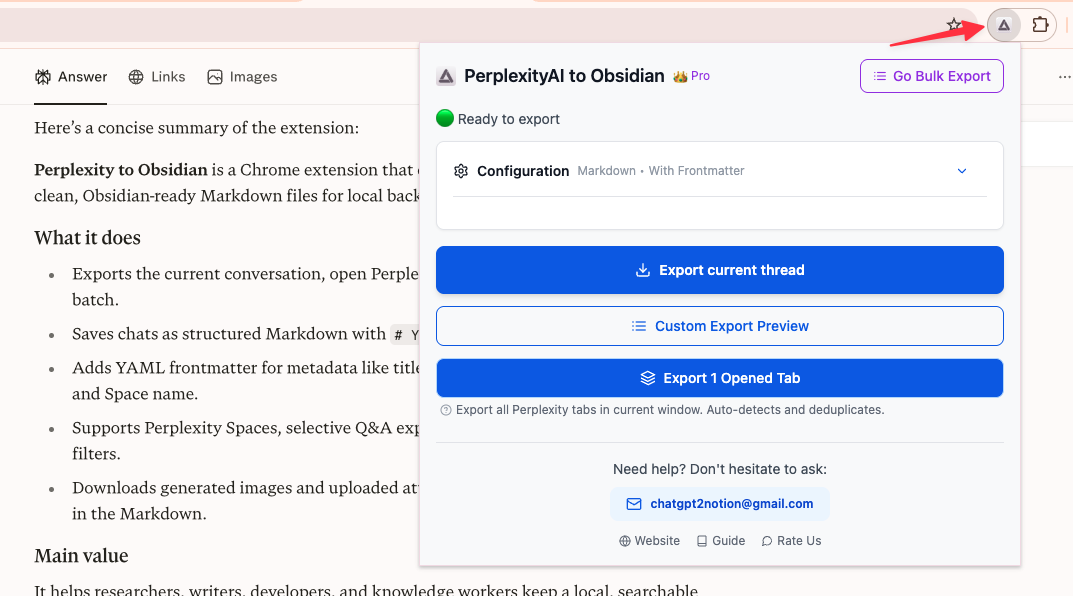
Verify the installation
Open a supported Perplexity page:
- a standard conversation such as
https://www.perplexity.ai/search/{id} - a supported Computer Task such as
https://www.perplexity.ai/computer/tasks/{id}
Click the extension icon. The popup should identify the current item and enable its export action.
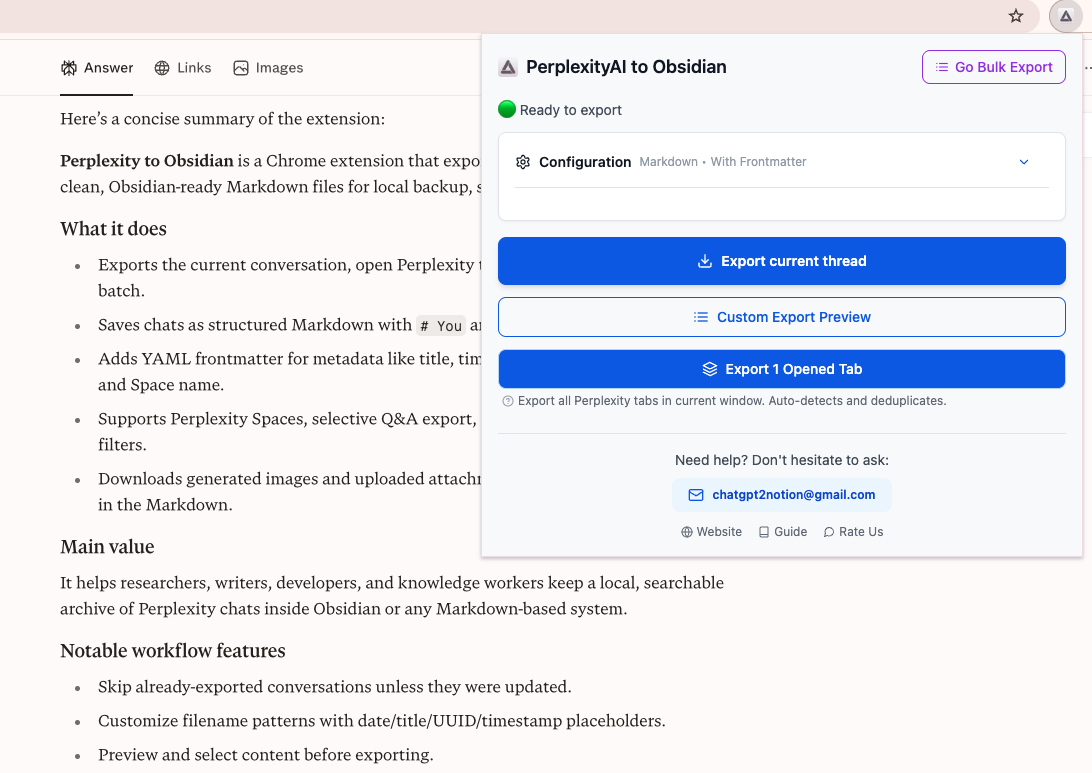
Permissions and network access
The extension needs:
- access to supported Perplexity pages so it can read the conversation selected by the signed-in browser session
- Chrome storage for settings, activation state, exported-record cache, history, and failure records
- Chrome tabs for opened-tab export and communication with a Perplexity tab
- Chrome Downloads for Markdown and companion files
Conversation conversion and file generation run in the browser. Subscription verification and diagnostic or usage events can contact product services, so review the Chrome Web Store privacy disclosure if your organization has telemetry restrictions.
No Perplexity account connection step
There is no separate OAuth connection for Perplexity. The extension uses the Perplexity session already open in Chrome. You must be signed in to Perplexity to load private history, Spaces, or Computer Tasks.
Subscription activation is separate and uses the email entered on the Batch Export page.
Next step
Run a small individual conversation export before starting a large backup.
Ready to try Perplexity To Obsidian?
Open the product page for feature details, screenshots, pricing, and the Chrome Web Store install link.