
Bulk Export Configuration
Configure Chat Pages, Selective Export, filename patterns, images, attachments, duplicate handling, and request delays in ChatGPT to Obsidian v8.4
This guide explains the settings that affect conversation-based bulk exports. Library Files and Images use their own filters and download settings described in the Bulk Download guide.
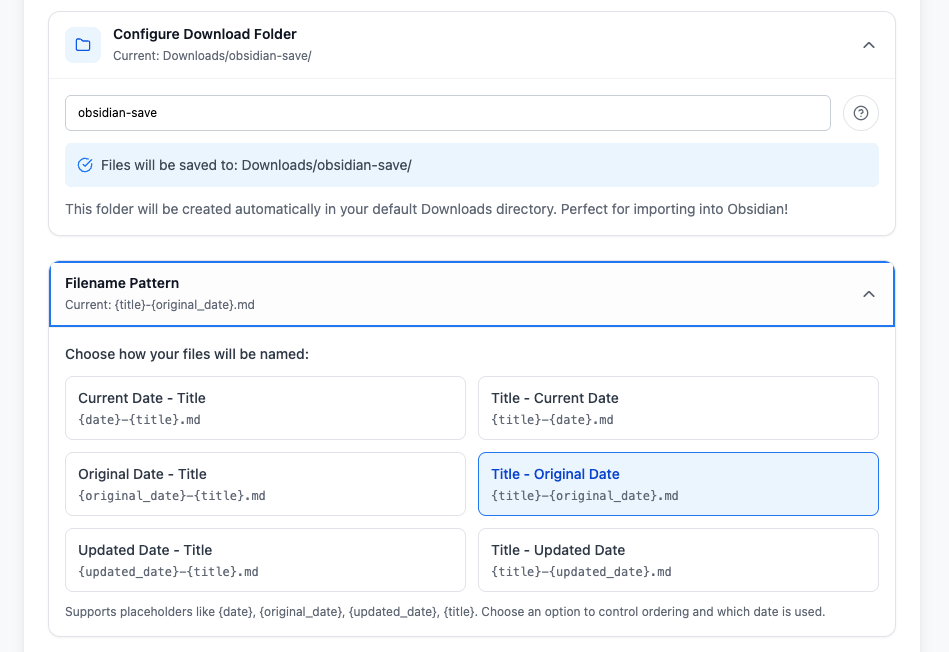
Download Folder
Use a path relative to Chrome’s Downloads directory:
- Valid:
obsidian - Valid:
obsidian/chatgpt - Invalid:
/Users/name/Vault - Invalid:
C:\Vault
The extension creates the relative folder automatically. It does not accept an absolute Obsidian vault path in this field.
Filename Pattern
Choose one of six presets:
| Preset | Pattern |
|---|---|
| Current Date - Title | {date}-{title}.md |
| Title - Current Date | {title}-{date}.md |
| Original Date - Title | {original_date}-{title}.md |
| Title - Original Date | {title}-{original_date}.md |
| Updated Date - Title | {updated_date}-{title}.md |
| Title - Updated Date | {title}-{updated_date}.md |
{date} is the export date. {original_date} and {updated_date} come from ChatGPT when available.
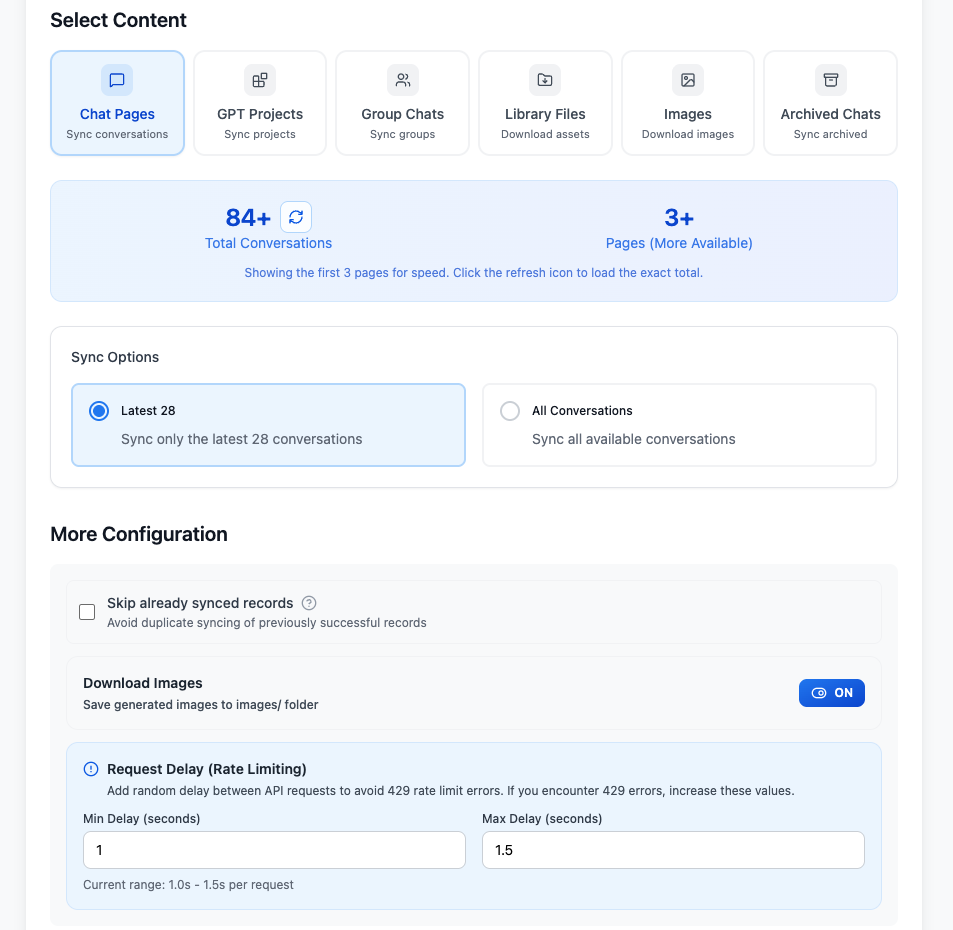
Chat Pages Scope
Latest 28
Exports the first ChatGPT history page, up to 28 conversations. Use this for frequent incremental backups.
All Conversations
Starts from page 1 and continues requesting pages until ChatGPT returns no more conversations. The total displayed at first may be estimated from the first three pages for faster loading, but All Conversations still continues until the history is exhausted.
Use the refresh icon beside Total Conversations when you want the page to calculate an exact total before export.
Selective Export Scope
Use Selective Export when you want complete Markdown files for specific conversations without exporting an entire history page.
- Click Refresh to load the first conversation page.
- Use Load Next Page or Load All to expand the available list.
- Search the loaded conversation titles when needed.
- Select individual conversations, or use Select All and Deselect All.
- Review the selected count and click Begin Sync.
An Exported badge means the conversation ID appears in local success history. It is informational; Skip already synced records still determines whether an unchanged record is skipped during the run.
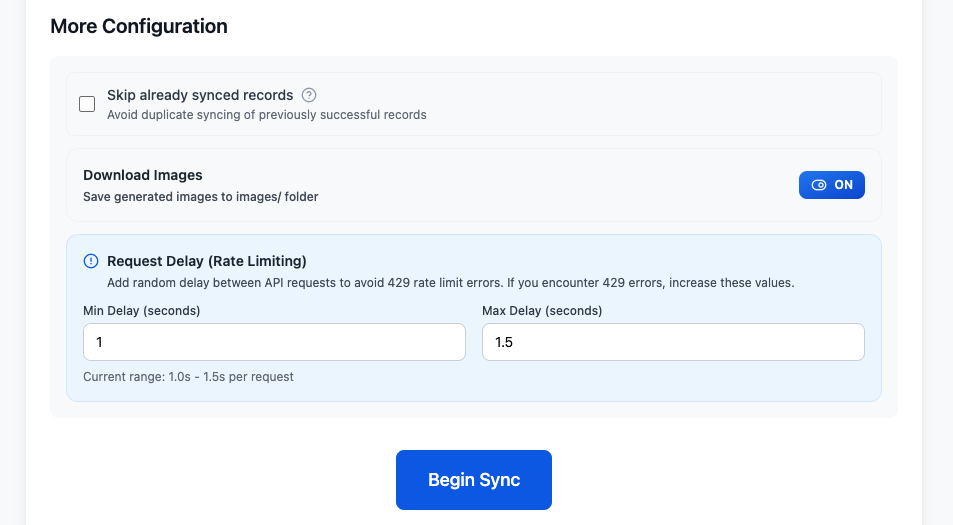
Skip Already Synced Records
When enabled, the extension compares a conversation with successful records stored locally.
- Fresh duplicates are skipped
- A conversation can be exported again when ChatGPT reports a newer updated time
- Skipped records appear in the result statistics
The history is browser-profile specific. Clearing extension storage or using another Chrome profile removes that local knowledge.
Download Images
When on, generated conversation images are downloaded to an images/ subfolder and the Markdown references local files. Turn it off for text-only exports.
This setting affects current-chat, Custom Preview, opened-tabs, regular Chat Pages, and Project conversation exports where image data is available. Library Files and ChatGPT Images have separate download controls.
Download Files
Download Files is off by default. When enabled, supported non-image files uploaded by the user or generated by ChatGPT are downloaded to a files/ subfolder. The extension replaces temporary attachment references in the Markdown with the downloaded filenames.
This setting applies to the current-chat workflow and conversation-based Bulk Download modes, including Chat Pages, Selective Export, Projects, and Archived Chats where attachment data is available. It does not control the dedicated Library Files workflow.
Images are intentionally excluded from this setting and remain controlled by Download Images. If a file cannot be resolved or downloaded, the extension logs the failure and continues preparing the conversation Markdown.
Request Delay
The extension waits a random duration between supported batch requests.
Default range:
- Min Delay:
1.0seconds - Max Delay:
1.5seconds
Increase both values if you encounter ChatGPT 429 errors. Values are stored in extension sync storage.
Recommended Configurations
First Complete Backup
- Chat Pages: All Conversations
- Skip already synced records: On
- Download Images: On if you need local image assets
- Download Files: On if uploaded or generated non-image files are part of the archive you need
- Request delay: Start with
1.0–1.5s
Frequent Incremental Backup
- Chat Pages: Latest 28
- Skip already synced records: On
- Download Images: As needed
- Download Files: As needed; leave it off for a text-only backup
After a 429 Error
- Wait before retrying
- Increase the request delay
- Keep duplicate skipping on
- Retry with Latest 28 or a smaller Project scope first
Free Plan Behavior
General conversation exports, including Selective Export, share a limit of 5 successful items per day for free users. If the remaining allowance is smaller than the selected scope, the batch stops when the allowance is exhausted.
Group Chats use a separate limit of 2 successful Group Chat exports per day.
Related Guides
Ready to try Chatgpt To Obsidian?
Open the product page for feature details, screenshots, pricing, and the Chrome Web Store install link.