
Overview & Getting Started
Export Genspark chats, opened tabs, selected conversations, Hubs, archived Hubs, and full history to clean Markdown for Obsidian
Genspark to Obsidian exports Genspark conversations as clean, portable Markdown files. Use it to back up current chats, opened conversations, selected records, complete Hubs, archived Hubs, or your full Genspark history.
The exported files work well in Obsidian, Notion import, Logseq, VS Code, Git repositories, and other Markdown-based workflows.
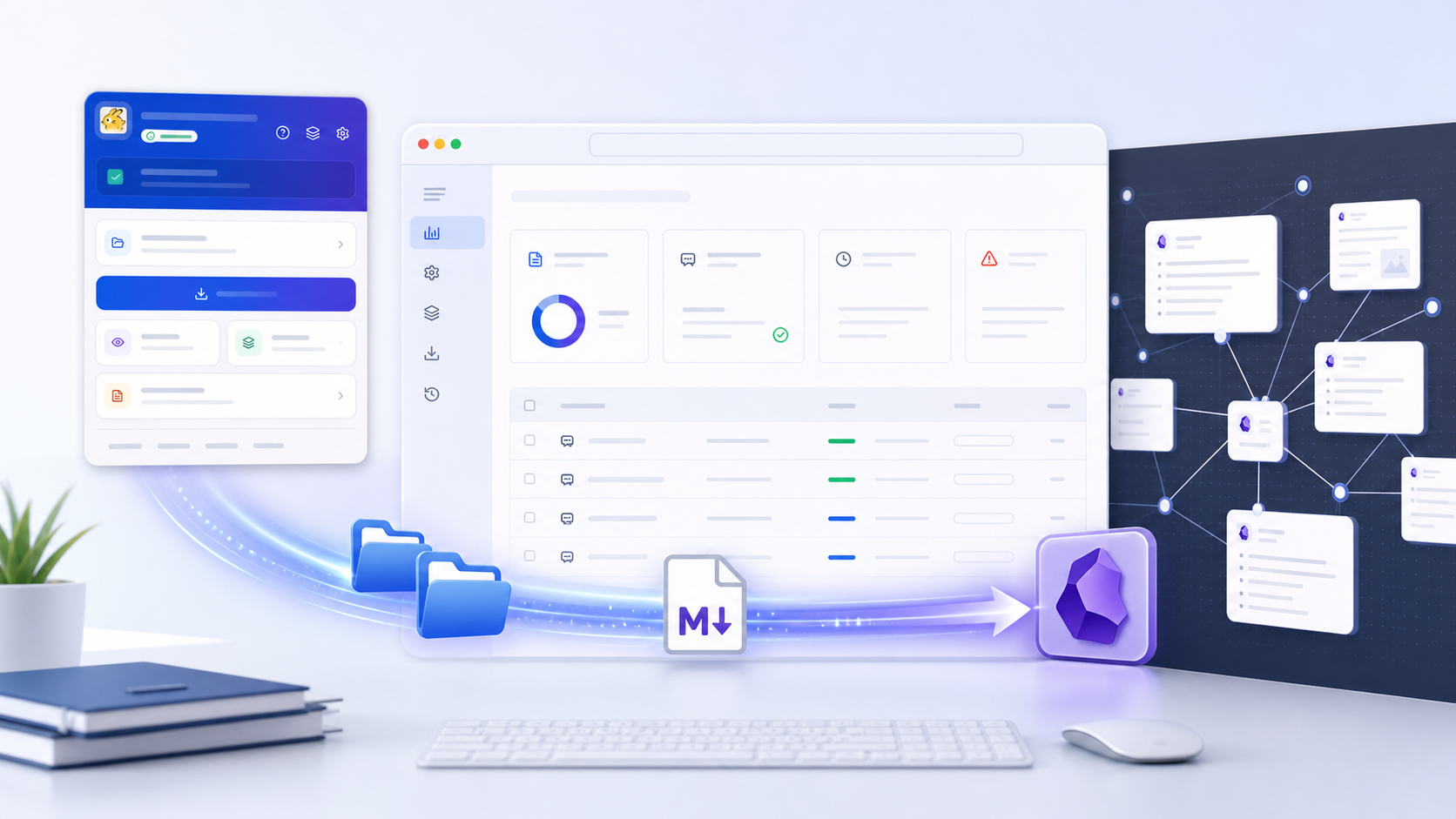
Video tutorial
Watch the full walkthrough: How to Export Genspark Conversations to Obsidian (Markdown Backup Tutorial).
For a quick visual overview, the workflow is: export the current chat, review before export, bulk export larger sets, then use the clean Markdown archive in Obsidian.
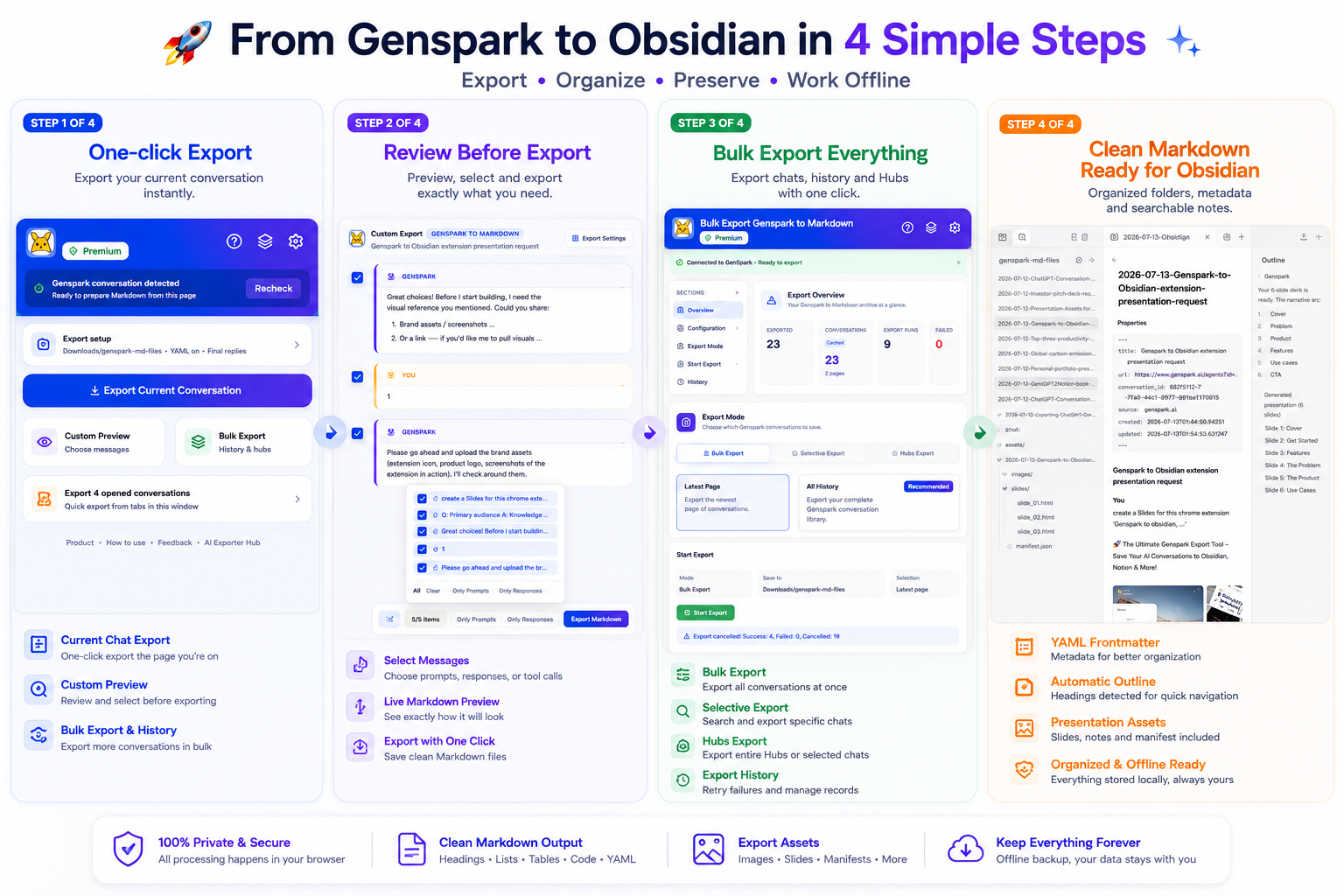
What the extension exports
Each export can include:
- Your prompts
- Final Genspark responses
- Optional intermediate Bot progress
- Optional tool calls
- Code blocks
- Tables
- Links
- Quotes
- Mermaid diagrams
- Optional YAML frontmatter
- Generated images when available
- Presentation notes, HTML slides, and manifests when available
By default, the extension focuses on the content most people want to read later: your prompts and Genspark’s final answers. You can include intermediate progress and tool calls when you need a complete working record.
Main workflows
Current conversation export
Open a Genspark conversation and click Export Current Conversation in the popup. The extension downloads the current chat as Markdown.
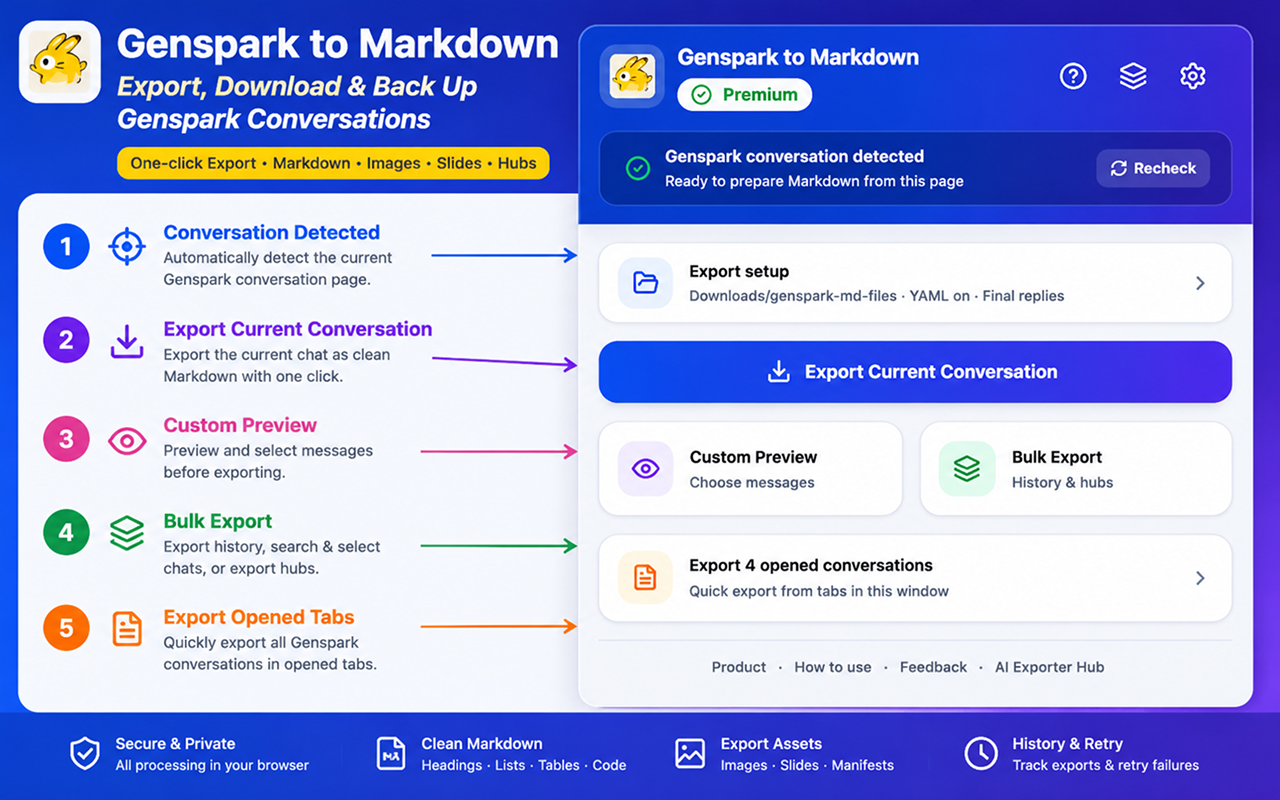
Custom Markdown Preview
Use Custom Preview when you want to inspect the final Markdown before saving. The preview lets you select or deselect individual prompts, final answers, intermediate Bot messages, and tool calls.
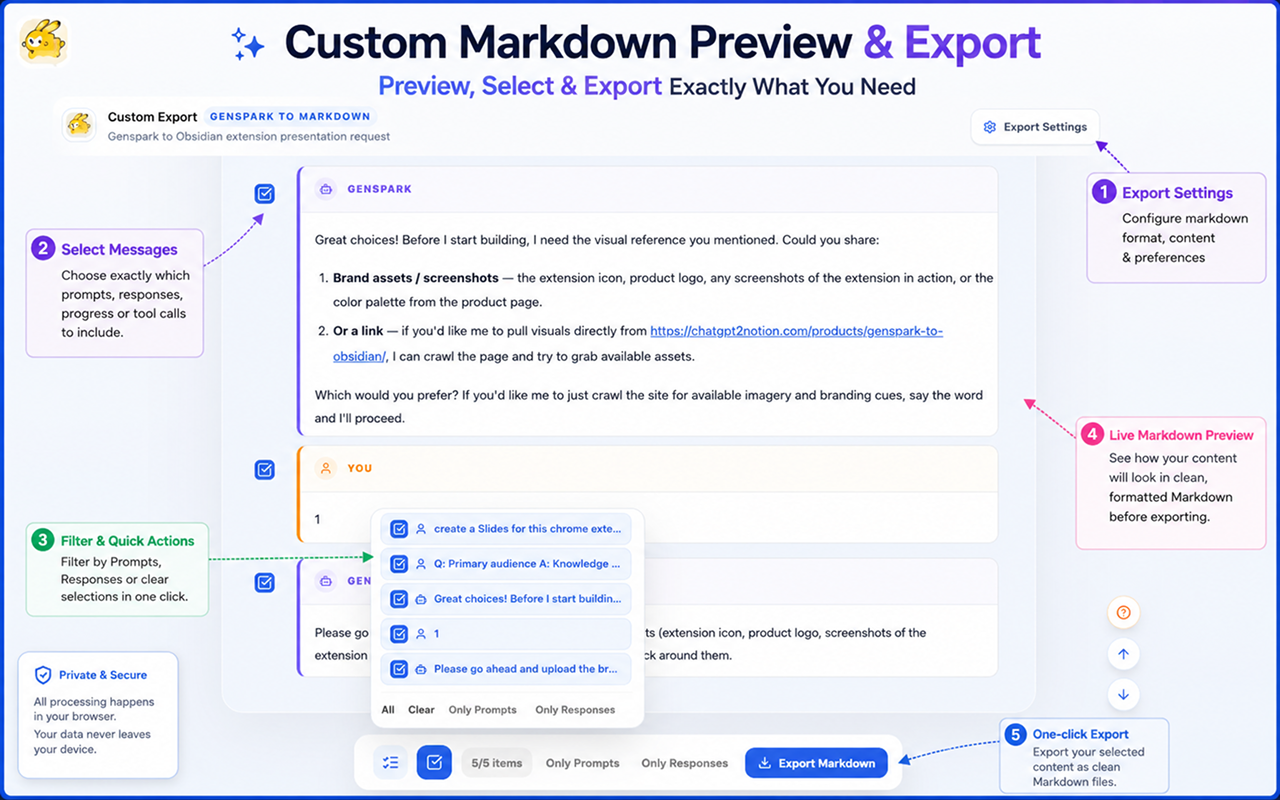
Bulk export
Use Bulk Export to export the latest page or scan all available history pages. The export page shows conversation counts, cached statistics, export runs, and failed records.
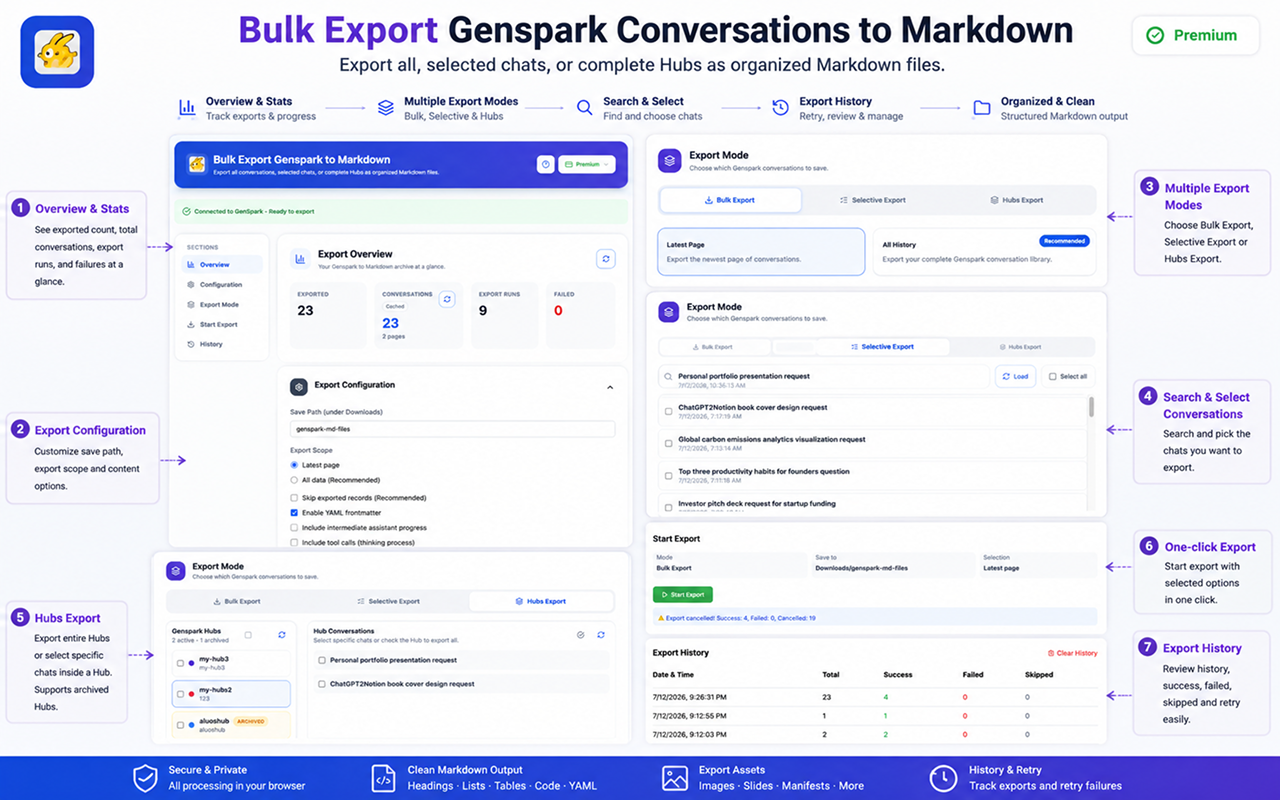
Selective export
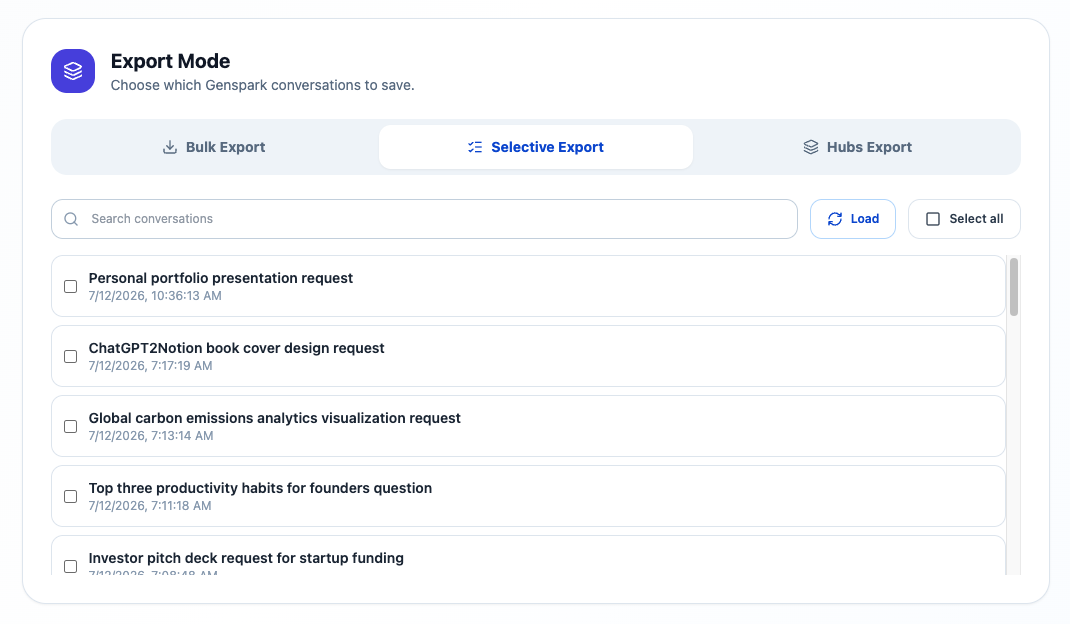
Use Selective Export when you want to search your conversation list and export only specific records.
Hubs export
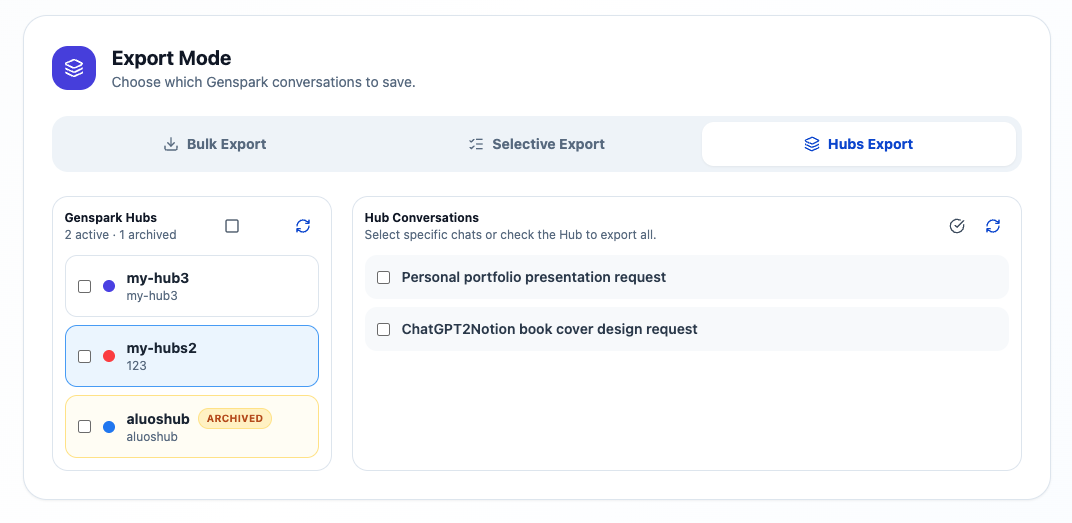
Use Hubs Export to export active Hubs, archived Hubs, or selected conversations inside a Hub.
Opened tabs export
When several Genspark conversations are open in the same browser window, the popup can export all unique opened conversations together.
File organization
Markdown files are saved through Chrome Downloads. You can choose a folder under Downloads, such as:
genspark-md-filesWhen a conversation includes related assets, the extension groups images, presentations, slide files, and manifests into conversation-specific asset folders so Markdown links stay portable.
Privacy and processing
Conversation parsing, Markdown generation, preview rendering, and download preparation happen inside your browser. Files are saved locally through Chrome Downloads.
Next steps
Start with the Installation Guide, then follow How to Export Conversations.
Ready to try Genspark To Obsidian?
Open the product page for feature details, screenshots, pricing, and the Chrome Web Store install link.